f you are just starting out digital scrapping Pixel Scrapper (DigitalScrapbook.com) is a great resource for freebies and if you have some extra money they have a subscription that allows you to download 5 kits a day, every day, for a month. That's a lot of kits!
But lets say you are just starting out and not really sure if you want to invest money in it. Maybe you don't think you could ever create the beautiful pages you have seen online but you want to give it a try. Well this is the site for you.
Free Downloads — Daily
Every registered user gets 5 free individual graphic downloads a day. You heard that right, 5 free downloads a day. And that's not even counting the free kit download you get upon registering or the incredible blog trains
that have dozens of great contributions each month. Not to mention that
those 5 free downloads are available for personal use or commercial use
licenses. And we have one of the most generous commercial use licenses out there.
So how does it work
This was a free mini kit for November. You have 5 papers a picture frame and 6 embellishments. Plus you get 5 free downloads a day so I type in The Good Life (the name of this kit) in the search engine and check Marisa Lerin Designs off on the side now I can download individual embellishments or papers from the bundle/kit this coordinates with.
I picked up these two embellishments and the neat thing about Pixel Scrapper is you can mix and match kits. While I was poking around I saw Jessica Dun's Mulled Cider and picked up these embellishments
So that's my 5 free downloads for the day. But hey tomorrow I can pick up 5 more. If I need/want to. I saw this while I was looking. Since I knew I wanted it, I added it to my wish list. And then the next day I came back and got it, Easy Peasy.
 |
melo vrijhof Autumn Day
|
Now to create a page with it. I use Craft Artist but these are PNG files so they should work with any program you use.
I kept this simple so you can scrap lift it. And as you can see it was created from the free downloads I showed you. I choose one paper to be my background paper, then choose two papers to stack. It's usually good to choose a solid paper for your top paper. I resized them to be smaller and stacked them one on top of another. Craft Artist allows you to recolor things so I decided to recolor the leaves brown. I then decided where to place the frame and used the embellishments to draw attention to it. And I got a little crafty with the text. I used Segoe UI Black Font. For the Title (Grant & Me) I used the same paper I used for the second paper (this creates the illusion it was cut out) I cropped it to it but if your program doesn't allow you to do that you can always create a punch and punch it out.For the 2020 I simply choose a color that went with the embellishments.
Having trouble with the directions or need help picking a software to use. Drop by the Pixel Scrapper Community, feel free to ask your questions in the forum once you are registered (registering is free). I love Craft Artist as it's one of the easiest to learn and is very intuitive but they discontinued it so unless you already have it you probably won't be able to find it anywhere. But the ladies at Pixel Scrapper can help you find a software program that's right for you or answer your questions about the one you already have.
Now that you have your page created you can share it in the Pixel Scrapper Gallery. And if you need ideas for a page browse the gallery for a page you want to scrap lift (fancy way of saying copy).
~Alasandra
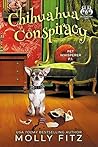 Chihuahua Conspiracy by Molly Fitz